There are no autism-specific screen time hour limits, so the rules that work are the ones you write for your own child and keep identical every day. Write them down, show them visually, warn before the end, and rehearse what comes next. That predictable structure does more to prevent turn-off meltdowns than any strict number of hours ever will.
Most parents I talk to are not short on rules. They are short on visibility. A limit that exists only in an adult’s head has to be argued for every single day, and arguing with an autistic child at the end of a hyperfocused activity is the hardest job in parenting. So the work here is not about saying no more firmly. It is about making the ending something your child can see coming, and about protecting the screen uses that genuinely help them.
The framework below takes about two weeks to set up and another two to settle. I refreshed it for 2026 because the advice that circulates about autistic kids and screens still tends to be either alarmist or uselessly vague, and neither of those helps a parent at six in the evening holding a crying six-year-old.
Table of Contents
- What You Need
- Step-by-Step
- Step 1: Set Screen Time Rules for Autistic Kids Clearly
- Step 2: Create a Visual Schedule the Child Can Check
- Step 3: Introduce the Limit Gradually
- Step 4: Plan What Happens When the Timer Ends
- Step 5: Prepare for Meltdowns and Stop Cues
- Step 6: Review and Adjust the Rules Every Two Weeks
- Common Mistakes
- Cutting the session off mid-activity
- Negotiating every remaining minute
- Making screens the only thing worth having
- Delivering consequences while the child is dysregulated
- Changing the limit every few days
- Counting minutes instead of watching for regulation
- Cutting the screen the child uses to communicate
- Frequently Asked Questions
- What is a healthy screen time limit for an autistic child?
- How do I use a visual timer with an autistic child?
- What if an autistic child has a meltdown when screen time ends?
- Should autistic children earn screen time for good behaviour?
- What screen activities can support an autistic child’s interests?
- Can I use screen time to calm my autistic child?
- Start With One Rule and One Visible Transition
What You Need
You need five things, and none of them cost money. A one-page written plan in plain language, a visual support the child can check without asking you, a defined stop cue, a short list of replacement activities they have actually agreed to, and consequences you are prepared to carry out the same way every time.
Before you write anything down, work out how the plan has to fit your child specifically. Their age, how they communicate (spoken, written, sign, AAC device, or no reliable system yet), whether screens are used for learning, regulation or both, and what support they already have in place. A rule that depends on a child understanding a spoken explanation is a bad fit for a child who does not.
Decide in advance which adult is the backup. Someone has to take over the end of the session on a bad evening, and if that decision is left open it gets made badly in the moment.
Step-by-Step
Step 1: Set Screen Time Rules for Autistic Kids Clearly
Ask your child what they watch and why, as far as their communication allows, and write each purpose down separately. “Video games” and “calming down when it gets loud” are two different activities and they deserve two different rules. Once you separate them, the argument usually gets much smaller.
Then choose a daily window instead of a daily allowance. Ending at 5pm on weekdays is far easier for a child to anticipate than a bank of minutes to spend, and parents on the parenting forums describe this shift as the single change that reduced their turn-off battles most.
Write one rule the child can actually understand, in one sentence, in the words you would use out loud. If you cannot say it in under fifteen words, it is too complicated to hold in working memory during a transition.
Now deal with the 3-6-9-12 rule, because it comes up constantly. It is a general guideline of about one hour of quality content per year of age, across all screens, written for children aged two to twelve. It was not written with autistic children in mind, and it does not account for a child using a screen as a regulation tool or as their primary communication method. The number matters far less than whether the limit is consistent and visible.
Decide which screen uses you will protect outright: AAC access, video modelling, sensory regulation content, and interest-based learning that actually teaches something. Those are not the same as open-ended short-form video, and merging the two categories is how well-meaning families accidentally take away a child’s voice.
Step 2: Create a Visual Schedule the Child Can Check
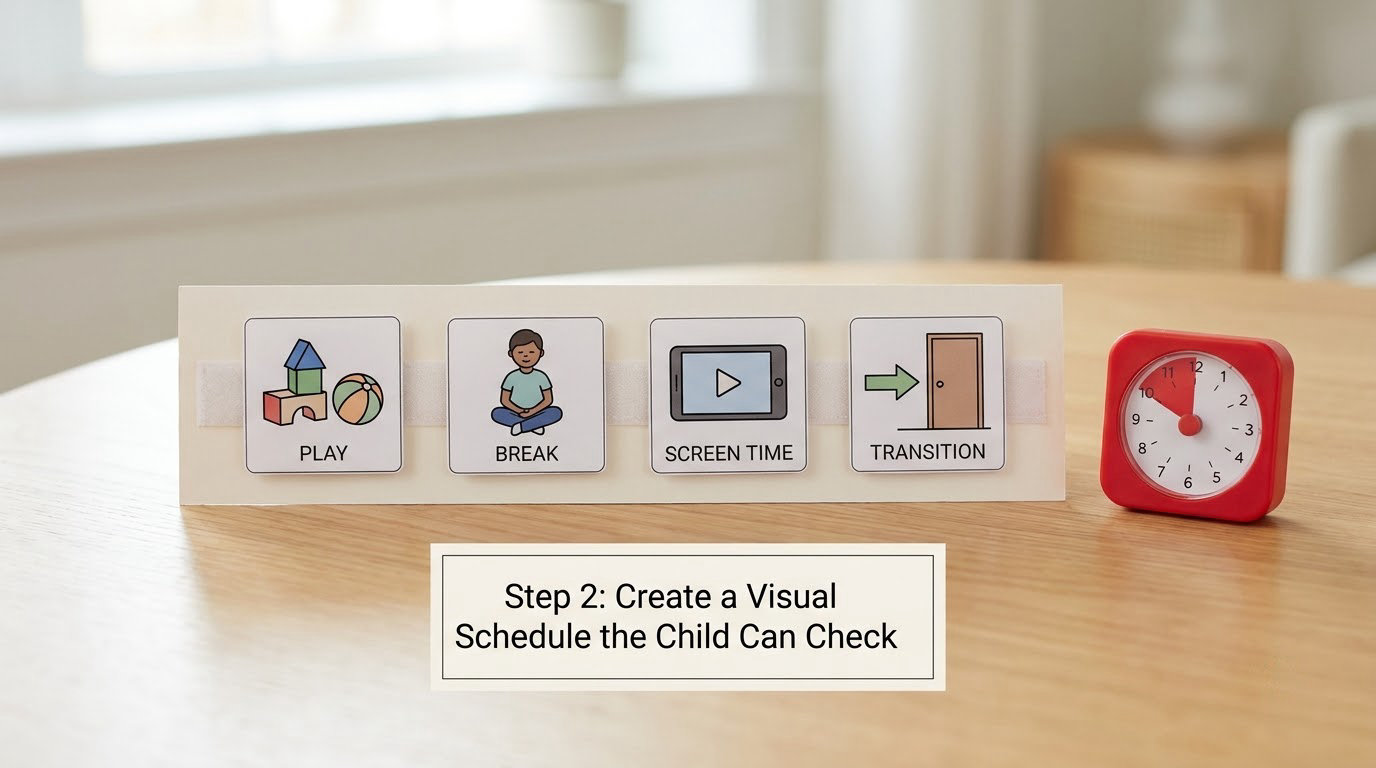
The limit has to be visible, not just stated. Options range from a printed daily schedule with picture cards, to a first-then board, to a sand timer or visual countdown on the device itself. Many autistic children cannot read an abstract clock face and struggle to feel a phone timer as time passing at all.
Test the support by watching the child use it for five minutes without you. If they cannot check how much time is left on their own, it is not doing its job yet. Simplify it rather than adding more symbols.
Put the end point in two places. A visual schedule tells them the session has a shape; a device dashboard or app tells them exactly when it ends. One is for understanding, the other is for precision, and using both covers most of what goes wrong.
Step 3: Introduce the Limit Gradually
Start at a limit the child can tolerate without a meltdown every single day, even if that number feels too generous at first. A fair limit that holds daily beats a perfect limit enforced on good days only.
Then reduce in small steps. A workable rhythm is one week of screen-free meals, one week where every session starts only after a non-screen activity, one week with the visual schedule in place, and one week at the limit you actually want. Announce each change the morning it starts, not the morning of.
Never make the limit conditional on the child’s compliance with food, sleep or affection. If screens become a lever you pull over those things, the child learns to hate the screen, and you lose the thing that was helping them.
Step 4: Plan What Happens When the Timer Ends
Decide the ending while you are calm, because you will not invent it at six in the evening. Choose one transition cue, use the same one every time, and make it visible: the timer colour changing, a card appearing, a lamp switching off. Repeat it before it ever happens.
Put the device somewhere out of reach in a predictable spot. Doing this without ceremony, mid-word, turns into a power struggle; doing it as the second half of a rehearsed routine does not.
Name the replacement activity in advance and keep it specific. “Go play” is too broad. “Legos, then the bath” gives the next thing a shape. Avoid adding a demand at the same moment as the ending, because two transitions stacked on each other is a common trigger for shutdown.
Step 5: Prepare for Meltdowns and Stop Cues
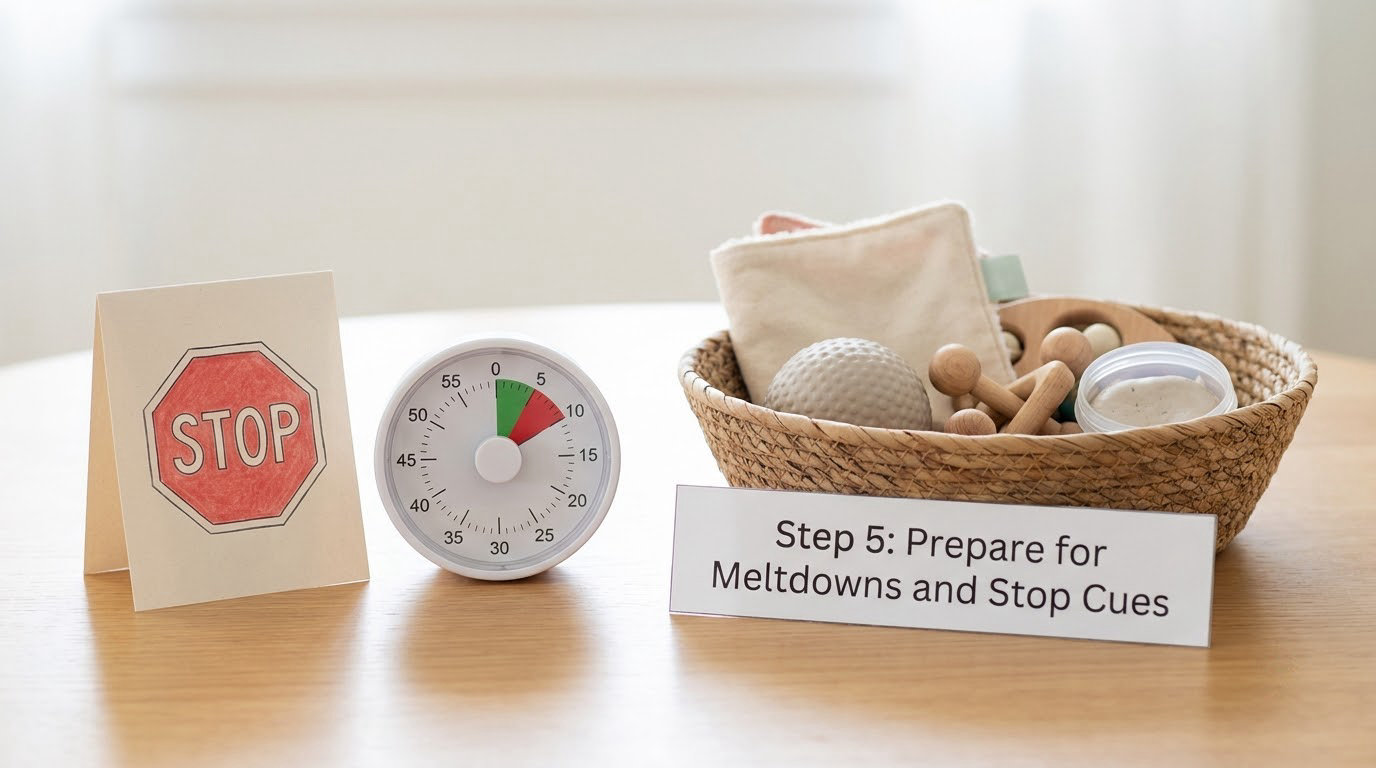
Warn before the end, then warn again. A two-minute warning, a one-minute warning and a visible change in the timer is the pattern most families land on. Practice the whole sequence on a low-stakes day so the ending is familiar before it is loaded.
When a meltdown happens anyway, the first ten minutes are for getting the nervous system down, not for teaching. Reduce language to almost nothing, lower the lights and noise, offer a sensory item, and stop asking questions. A meltdown is not defiance and a shutdown is not refusal; both are a body overwhelmed, and words rarely reach it. The repair conversation comes later, once the child is regulated again.
Keep a low-stimulation break option ready, and know the difference between the two states. A shutdown shows as withdrawal, going quiet or lying down; a meltdown shows as escalation, crying, throwing or aggression. They need different responses and the same mistake gets made with both.
Bring in the child’s occupational therapist, BCBA or paediatrician when adjustment is not enough. Escalating behaviour, self-injury, a screen becoming the only regulation strategy, or sleep collapsing are all reasons to ask for a written behaviour support plan rather than another parent-made rule.
Step 6: Review and Adjust the Rules Every Two Weeks
Look at what the last fortnight actually showed rather than what you hoped. Is bedtime easier? Which stop cue is genuinely recognised? Is there more in-person interaction, or has the replacement activity quietly collapsed into nothing?
Change one variable at a time. Adjusting the limit, the cue and the reward in the same week makes it impossible to know what worked, and you will end up rewriting a plan that was nearly right.
Do not raise the limit simply to avoid every reaction. A predictable reaction to an ending is a transition skill the child is still learning, and the skill only lands if the ending keeps happening.
Common Mistakes
Cutting the session off mid-activity
A sudden cutoff at the most interesting point is the single biggest driver of turn-off meltdowns. Give a warning, then let the child reach a natural stopping point, even if it costs a few extra minutes.
Negotiating every remaining minute
Repeated bargaining turns one ending into twenty small negotiations and teaches the child that the ending is negotiable. Offer the choice before the session, not during the ending.
Making screens the only thing worth having
If screens are the only reward on offer, every limit you set is a comparison against something the child does not otherwise get. Build a small, genuine list of valued non-screen things, matched to your child’s special interests, so the ending is not a move from the best option to nothing.
Delivering consequences while the child is dysregulated
Consequences given mid-meltdown are not processed, and the child learns the lesson is about your distress rather than the behaviour. Wait for regulation, then say the sentence you would have said anyway.
Changing the limit every few days
Every change resets the learning. Hold a limit for a fortnight unless something has genuinely changed in the child’s life, and write down what you changed and when so you are not arguing with last month’s version.
Counting minutes instead of watching for regulation
Charts of minutes are useful for spotting a pattern across weeks, but day to day the useful signal is the child’s regulation. If the numbers improve and the child is more shut down, the limit is wrong.
Cutting the screen the child uses to communicate
If a device is AAC, a communication tool or the only reliable way to express distress, exclude it from limits entirely and manage everything else separately. Get your child’s team to write that exclusion into their plan so it survives arguments with other adults.
Two more practical points. Get every caregiver working from the same one-page plan, because grandparents breaking the rules is the most demoralising thing parents describe. And close the technical loopholes, since children route around app-level limits through incognito windows, second devices and saved passwords, which is why device-level limits and no stored logins matter more than the app you paid for.
Frequently Asked Questions
What is a healthy screen time limit for an autistic child?
No autism-specific limit exists, and most general guidelines were written without autistic children in mind. Start with a window the child can tolerate daily, protect AAC and regulating uses completely, and judge the number by sleep, regulation and daily functioning rather than by the clock. Review every two weeks, change one variable at a time, and ask your child’s paediatrician, occupational therapist or BCBA to weigh in on the number.
How do I use a visual timer with an autistic child?
Choose a timer your child can read as time actually passing, such as a sand timer or a colour-draining visual countdown, rather than a phone timer with numbers they cannot parse. Pair it with a printed schedule showing the whole day’s shape. Rehearse the ending on a calm day so the cue is familiar, and check that your child can look at the timer and tell how much is left without asking you.
What if an autistic child has a meltdown when screen time ends?
Treat the first ten minutes as regulation, not teaching. Cut your language right down, dim lights and noise, offer a sensory item, and stop asking questions. Once the child is settled, reconnect briefly and go straight back to the rehearsed routine. If turn-off meltdowns happen most days, ask your occupational therapist or BCBA for a written behaviour support plan rather than adjusting the limit alone.
Should autistic children earn screen time for good behaviour?
Earning screen time can work as a first-then structure, where the screen follows an agreed non-screen activity. Be careful with token charts, though, because making the child’s access conditional on compliance can turn the screen into something they perform for rather than enjoy. Many families find a fixed daily window with the order of activities decided in advance is calmer and easier to keep consistent.
What screen activities can support an autistic child’s interests?
Interest-based learning, video modelling for social skills, sensory regulation content and AAC apps are all screen uses worth protecting rather than limiting. Build a small playlist of specific videos or games tied to your child’s special interests and set limits around that curated list, instead of allowing open access and hoping. Interest-based content tends to hold attention longer and end more cleanly than endless short-form video.
Can I use screen time to calm my autistic child?
Screens genuinely are a legitimate regulation tool for many autistic children, and removing that option can leave a child with nothing. The problem is rarely the calming screen itself but open-ended access with no ending cue. Keep the regulating content, cap it in a visible window, and teach another regulation option such as a sensory break or weighted item, adding to the toolkit rather than clearing it out.
Start With One Rule and One Visible Transition
Pick the single screen activity that matters most to your child and give it one manageable end time. Show that ending somewhere your child can see it without asking you, and rehearse the routine once on a calm day.
Leave everything else alone this week, including consequences. Once the ending is boring rather than dramatic, add the second rule, then the third. Consistency across adults matters more than strictness, and a limit everyone applies on the hard days is worth far more than a perfect limit applied on the easy ones.